Limit vs Market Orders on Binance: When to Use Each
Understand the difference between limit and market orders on Binance. Save money by choosing the right order type.
Quick Comparison
| Feature | Limit Order | Market Order |
|---|---|---|
| Execution | At your price or better | Immediately at best price |
| Fee | Maker (lower) | Taker (higher) |
| Speed | May take time to fill | Instant |
| Price control | Full | None |
When to Use Limit Orders
1. Entering a Position (Not Urgent)
If BTC is at $100,000 and you want to buy at $99,500, place a limit buy at $99,500. You save on both price AND fees.
2. Taking Profit
Set a limit sell at your target price. It executes automatically when the price reaches your target.
3. Most Trading Scenarios
90% of the time, limit orders are the better choice. The fee savings add up significantly over time.
When to Use Market Orders
1. Emergency Exit
If the market is crashing and you need to exit NOW, use a market order. Speed is more important than fee savings.
2. Stop-Loss Execution
Stop-market orders ensure your stop-loss fills even in fast-moving markets.
3. Very Liquid Markets
On BTC/USDT with tight spreads, the difference between limit and market is minimal.
Fee Difference
Spot Trading
| Order Type | Standard | With Referral |
|---|---|---|
| Limit (Maker) | 0.10% | 0.08% |
| Market (Taker) | 0.10% | 0.08% |
On spot, maker and taker fees are the same at the base level.
Futures Trading
| Order Type | Standard | With Referral |
|---|---|---|
| Limit (Maker) | 0.02% | 0.016% |
| Market (Taker) | 0.05% | 0.04% |
Futures maker fees are 60% cheaper — this is where limit orders really shine.
Pro Tip: Post-Only Orders
Use “Post Only” mode to ensure your order is always a maker order. If it would fill immediately (becoming a taker), the order is rejected instead.
Get 20% Off Binance Trading Fees with RATE20
New to Binance? Open the official signup page with RATE20 already applied for a 20% trading-fee discount. You do not need to copy or type the code. Review the referral details before completing registration.
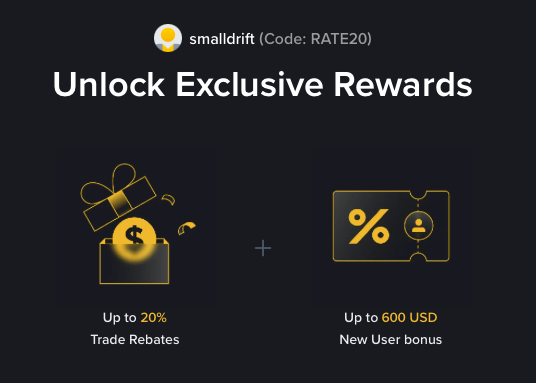
- Referral code: RATE20, pre-applied by this link
- Fee discount: 20%, shown on the Binance signup screen
- Additional rewards: Check Binance for current promotions and regional availability
Be wary of unofficial referral offers promising benefits they cannot show. The Binance signup screen lets you check the code and fee discount directly.
Compare Binance fees and available discounts →
SmallDrift may earn a commission when you sign up through this link. Trading involves risk, including loss of capital.
Related Articles

Explore Related Guides
Daily Crypto Market News
Follow Bitcoin price moves, major altcoins, and the events shaping the market.
Bitcoin ETF Flows Guide
Understand ETF inflows and outflows, and how to read them alongside price action.
Binance Fee Calculator
Learn how to estimate trading costs with referral and BNB discounts.
Verified Binance Referral Guide
See how RATE20 is applied and what to check on the Binance signup screen.